
How to Choose Recruitment Automation for More Efficient TA Operations
What is recruitment automation?
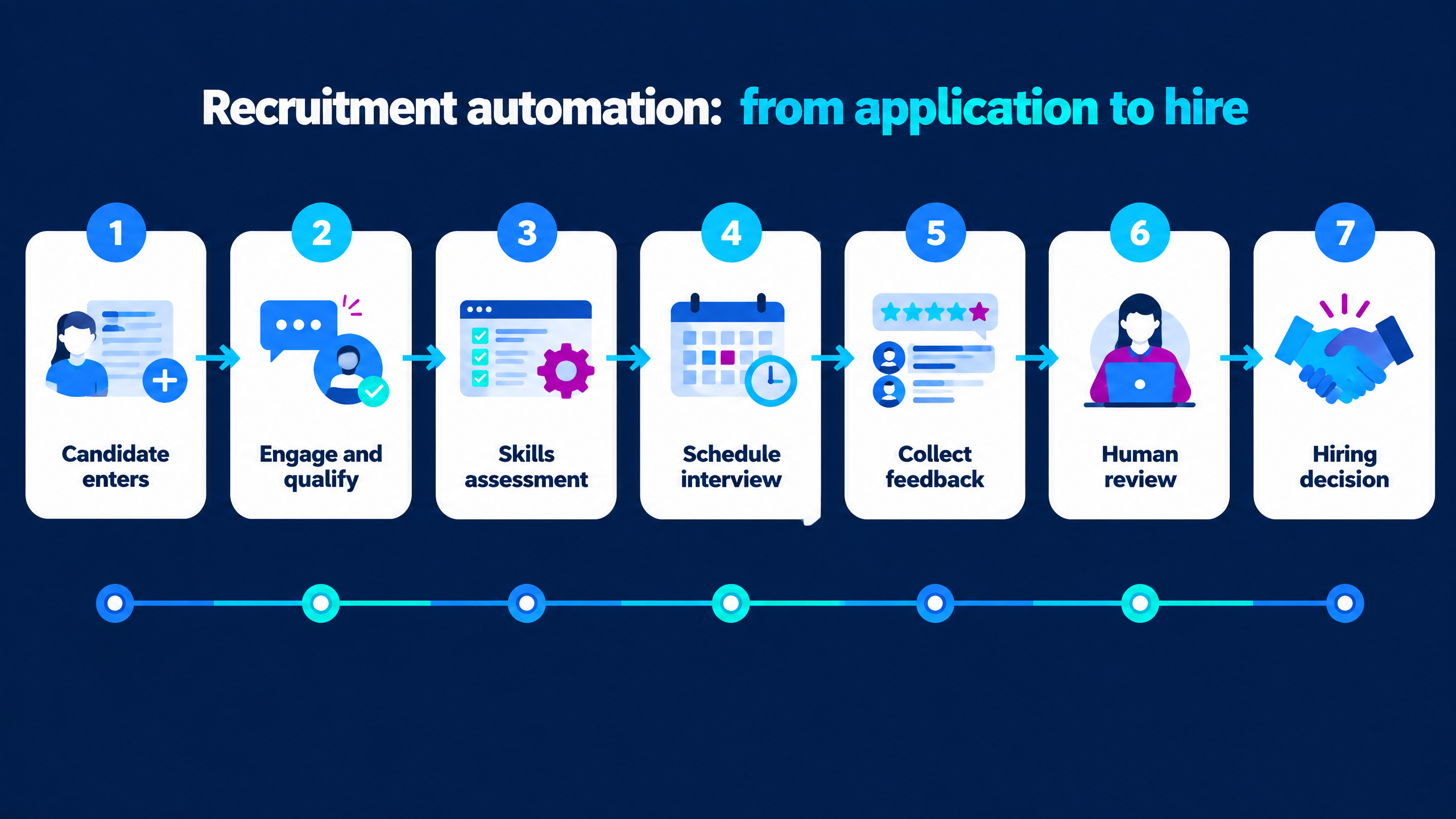
Why TA operations teams need a workflow view
|
Workflow problem
|
Operational impact
|
Automation opportunity
|
|
Candidate data is copied between systems
|
Errors, delays, and poor reporting
|
Integrations, APIs, and candidate-record updates
|
|
Recruiters call or message candidates one by one
|
Low coverage and repetitive work
|
Automated outreach and qualification workflows
|
|
Interview availability is collected manually
|
Scheduling delays and rescheduling overhead
|
Self-service slot selection and calendar automation
|
|
Interview questions vary by interviewer
|
Inconsistent evidence and difficult comparisons
|
Structured rubrics and approved question libraries
|
|
Feedback arrives in different formats
|
Slow hiring-manager decisions
|
Standardized reports, reminders, and dashboards
|
|
Candidates wait for updates
|
Drop-off and employer-brand damage
|
Automated status communication and next-step triggers
|
|
Hiring activity is spread across files
|
Limited visibility and weak forecasting
|
Centralized analytics and audit trails
|
Where recruitment automation creates the most value
Candidate engagement and qualification
Screening and skills validation
Interview scheduling and coordination
Feedback and decision support
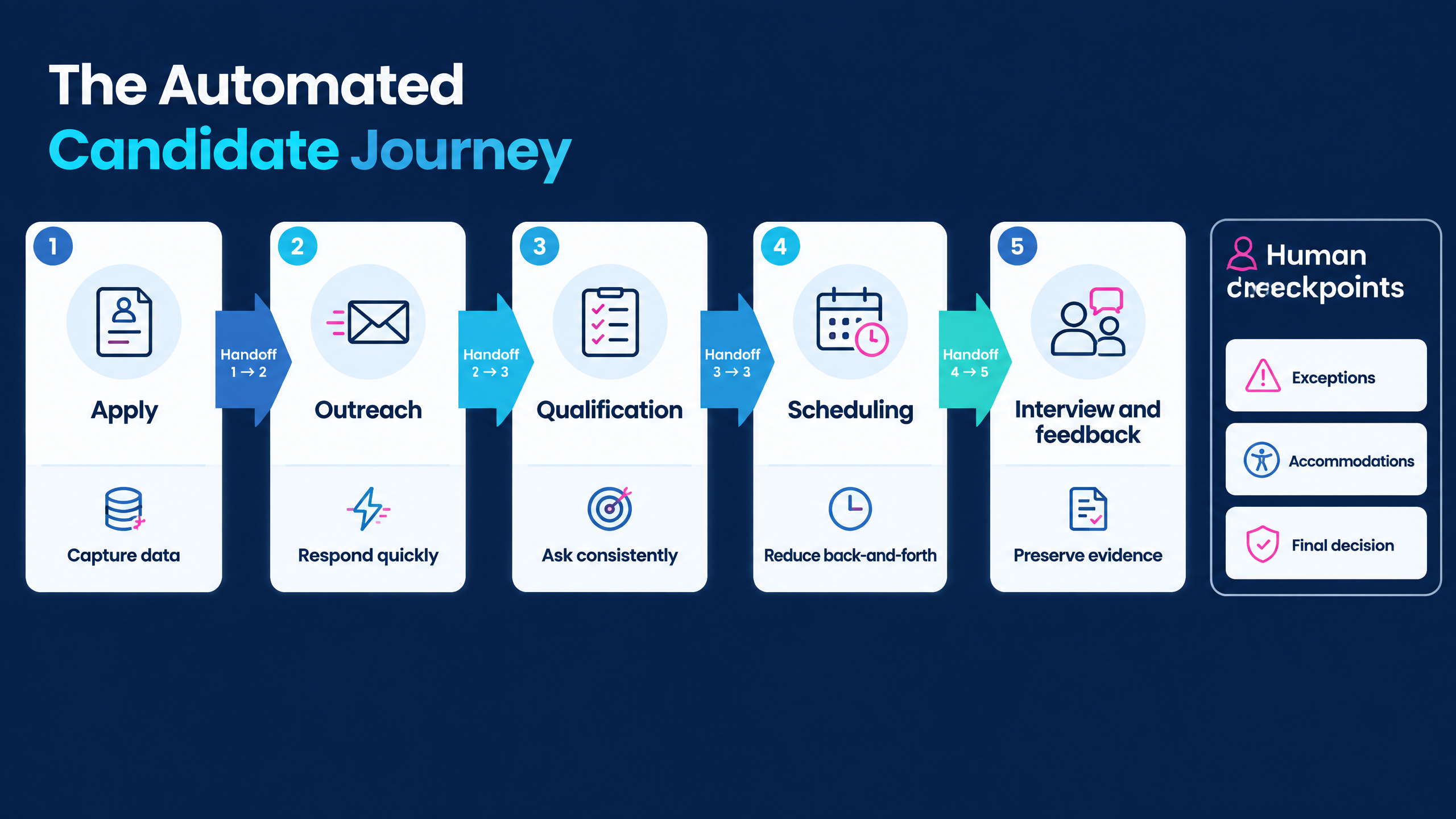
10 checks before choosing a recruitment automation platform
1. Start with the process problem
2. Map the complete candidate journey
3. Evaluate workflow orchestration
4. Review outreach and candidate communication
5. Test screening and assessment handoffs
6. Validate scheduling depth
7. Check integrations and data flow
8. Evaluate reporting and observability
9. Review governance and human control
10. Test implementation and operational support
How to design an efficient automated hiring workflow
Stage 1: Define the hiring requirement
Stage 2: Capture and normalize candidates
Stage 3: Engage and qualify
Stage 4: Validate skills
Stage 5: Schedule the next interaction
Stage 6: Collect structured evidence
Stage 7: Review, decide, and learn
Recruitment automation use cases
High-volume hiring
Campus and graduate recruitment
Technical recruitment
Customer support and sales hiring
Distributed and international recruitment
Recruiter capacity support
How to protect candidate experience and human judgment
- Explain automated interactions and recording before the candidate begins.
- Use short, relevant communications rather than unnecessary reminders.
- Provide clear instructions, accessible design, and a human escalation path.
- Keep screening criteria connected to the role.
- Avoid automatic rejection when the evidence is incomplete or ambiguous.
- Give reviewers access to the underlying evidence behind summaries or scores.
- Monitor drop-off, support requests, complaints, and completion by cohort where appropriate.
- Allow recruiters to pause, override, or route a workflow for manual review.
- Keep communication consistent even when the decision is negative.
- Review the workflow after every major role, campaign, or policy change.
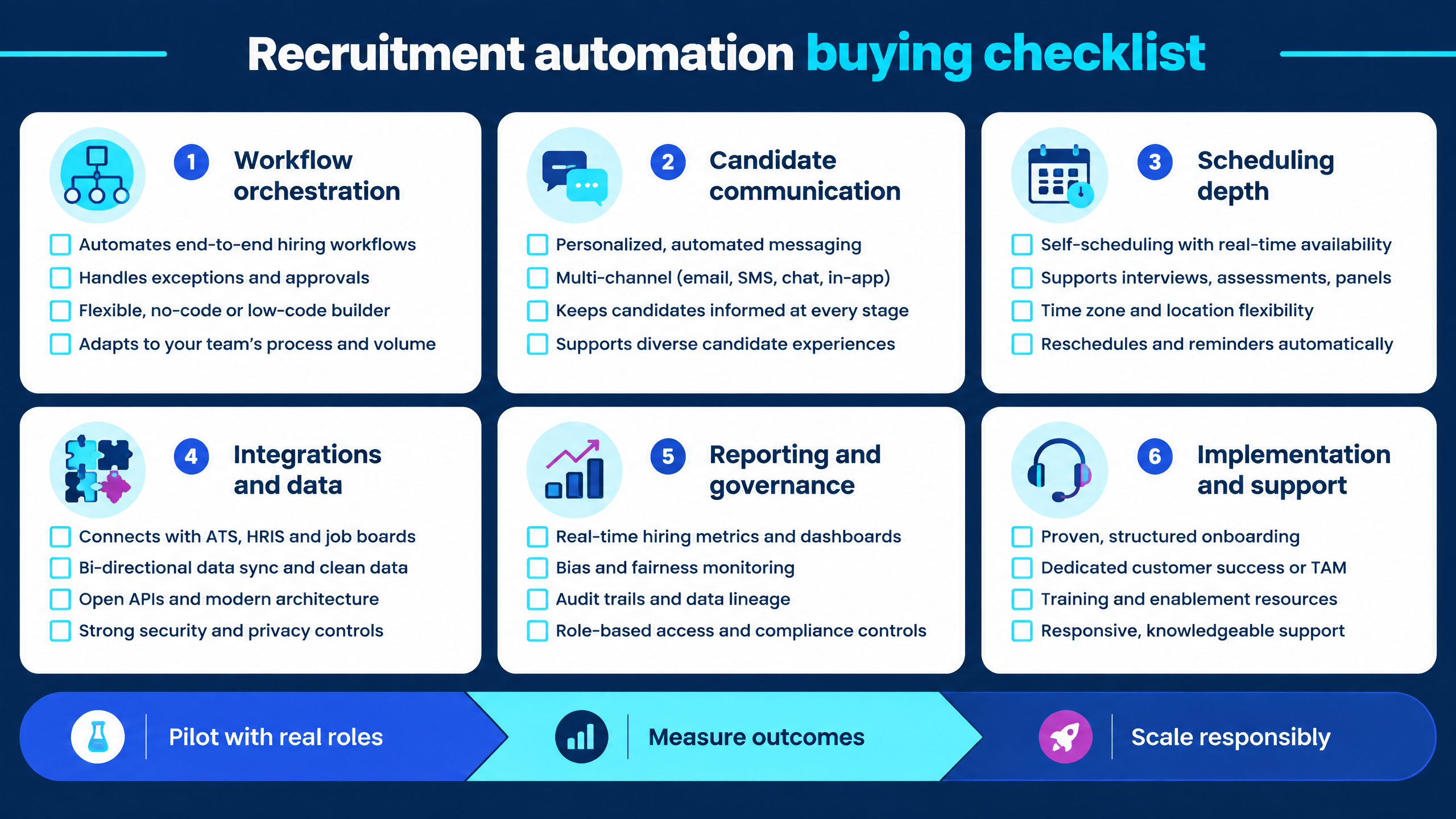
How to measure recruitment automation
|
Measurement area
|
Useful indicators
|
|
Speed
|
Time from application to first contact, qualified stage, interview, and decision.
|
|
Coverage
|
Candidates contacted, reached, screened, assessed, scheduled, and completed.
|
|
Conversion
|
Response, completion, qualified-to-interview, interview-to-offer, and offer acceptance rates.
|
|
Productivity
|
Recruiter hours saved, interviewer coordination time, feedback turnaround, and queue size.
|
|
Candidate experience
|
Drop-off, support requests, rescheduling friction, complaints, and satisfaction signals.
|
|
Quality
|
Hiring-manager agreement, downstream performance indicators, false positives, and false negatives.
|
|
Governance
|
Overrides, audit completeness, consent records, incidents, access reviews, and retention compliance.
|
|
Economics
|
Cost per screened candidate, cost per qualified candidate, implementation cost, and total operating cost.
|
What to ask during a vendor demo
- Can you map one of our real hiring workflows from application to decision?
- Which steps can run automatically, and which require human approval?
- Can recruiters configure different workflows by role, geography, volume, or risk?
- How are candidate communications created, approved, translated, and updated?
- Can the platform support voice, text, assessments, video, coding, or human interviews?
- How does automated scheduling handle time zones, panel calendars, reminders, and rescheduling?
- Which ATS, CRM, calendar, messaging, and reporting integrations are available?
- Can we inspect the data flow, audit logs, permissions, webhooks, and error handling?
- What evidence is available behind a score, summary, recommendation, or routing action?
- How can recruiters override, pause, correct, or escalate a workflow?
- How does the platform handle candidates who need accommodation or human support?
- What dashboards show funnel health, drop-off, workload, and time-to-stage?
- How does the platform scale during campus, seasonal, or mass-hiring campaigns?
- What support is available during implementation and live operations?
- Can we run a controlled pilot with our job descriptions and candidate journey?
- What is included in the commercial package, and what costs extra?
Explore futuremug’s workflow and hiring solutions
- Explore the futuremug AI interview platform for automated scheduling, video interviews, coding, question libraries, transcripts, reports, and candidate management.
- Review the agentic AI interview platform for automated candidate screening, job-specific questions, bulk scheduling, instant reports, red-flag detection, and post-interview triggers.
- Read AI Calling for Recruitment for candidate outreach, qualification, scheduling, and follow-up workflows.
- Review AI Calling Candidate Engagement Automation for a connected candidate-communication workflow.
- Explore futuremug’s campus placement and hiring platform for early-talent and college hiring workflows.



Frequently Asked Questions
Recruitment automation uses software, workflow rules, integrations, and AI to reduce repetitive work across candidate engagement, screening, assessments, interviews, scheduling, feedback, reporting, and next-step communication. It supports recruiters but does not need to replace human decision-making.
No. It can reduce repetitive administration and help recruiters process more candidates consistently. Recruiters remain responsible for role definition, stakeholder alignment, candidate relationships, exception handling, final evaluation, and hiring decisions.
Start with high-volume, repeatable, measurable work such as candidate outreach, basic qualification, reminders, scheduling, assessment invitations, feedback collection, and status updates. Keep complex, sensitive, or ambiguous decisions under meaningful human review.
It can reduce back-and-forth communication by matching candidate and interviewer availability, sending confirmations and reminders, handling time zones, and supporting rescheduling. The value depends on calendar integration, workflow visibility, and exception handling.
Yes, when the platform supports bulk candidate workflows, concurrent activity, scheduling, reporting, support, and clear escalation. Test the system with a realistic campaign rather than relying only on a small demonstration.
Explain the process, keep communications relevant, provide accessible instructions, offer a human support route, make scheduling simple, communicate next steps promptly, and monitor completion, drop-off, complaints, and support requests.
Define permitted uses, decision boundaries, approval points, data handling, access controls, retention, monitoring, incident response, candidate communication, and appeal routes. Give reviewers access to evidence and the ability to challenge or override automated recommendations.
Workflow automation moves records, messages, approvals, schedules, and tasks according to defined rules. AI recruitment automation may interpret text or conversation, generate questions, summarize responses, detect patterns, or recommend next steps. AI features require additional validation, monitoring, and human oversight.
Compare vendors against the complete candidate journey, not only individual features. Evaluate workflow orchestration, communication, screening, scheduling, integrations, reporting, governance, candidate experience, implementation, support, scalability, and total cost using a controlled pilot.