
How to Choose Online Assessment Platform for Hiring for Better Hiring Decisions
What is an online assessment platform for hiring?
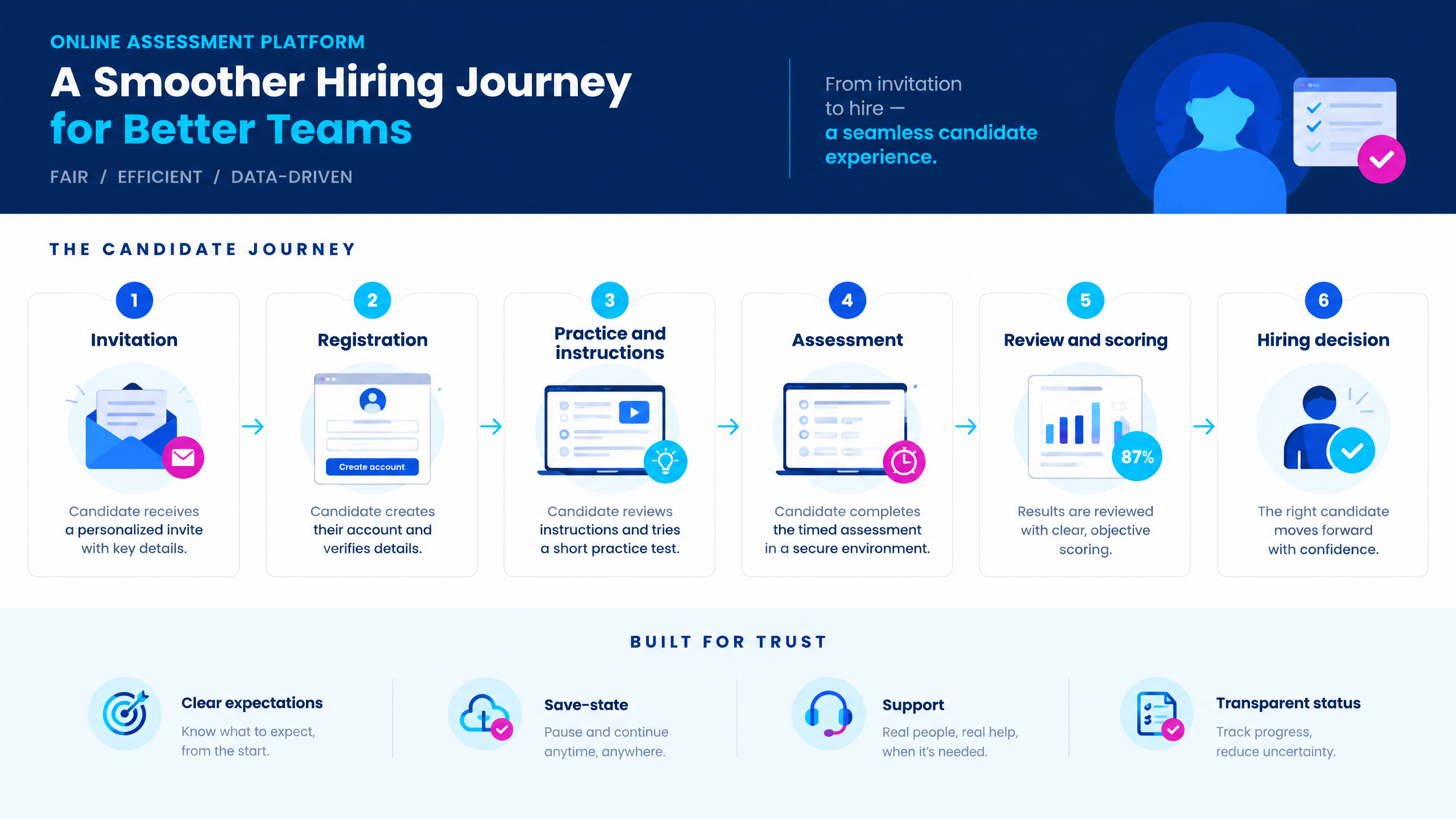
Why platform choice affects hiring decisions
|
Outcome
|
What the platform should enable
|
Hiring value
|
|
Valid skills evidence
|
Role-relevant content, appropriate formats, calibrated scoring, and reviewable results.
|
Better decisions based on job-related signals.
|
|
Candidate completion
|
Clear instructions, reliable performance, device support, save-state, and help.
|
Fewer avoidable drop-offs and complaints.
|
|
Operational scale
|
Bulk invites, automation, reports, permissions, integrations, and support.
|
Faster execution across roles and hiring volumes.
|
10 capabilities to evaluate
1. Role-relevant assessment design
2. Flexible question formats
3. Candidate invitation and registration
4. Candidate experience and accessibility
5. Performance, reliability, and save-state
6. Integrity and proportional proctoring
7. Scoring and evaluation controls
8. Reports and decision support
9. Administration, integrations, and permissions
10. Support, commercial model, and implementation
Self-serve platform versus managed assessment service
|
Model
|
Best fit
|
Questions to ask
|
|
Self-serve software
|
Teams with internal assessment and recruiting operations capacity.
|
How easy is setup, configuration, reporting, and daily administration?
|
|
Managed assessment service
|
Teams facing high volume, tight deadlines, limited administrators, or complex delivery.
|
What does the provider manage, and what remains with the hiring team?
|
|
Hybrid model
|
Teams that want ownership of content but support for peak delivery or specialist evaluation.
|
Can internal and external users work in the same workflow with clear permissions?
|
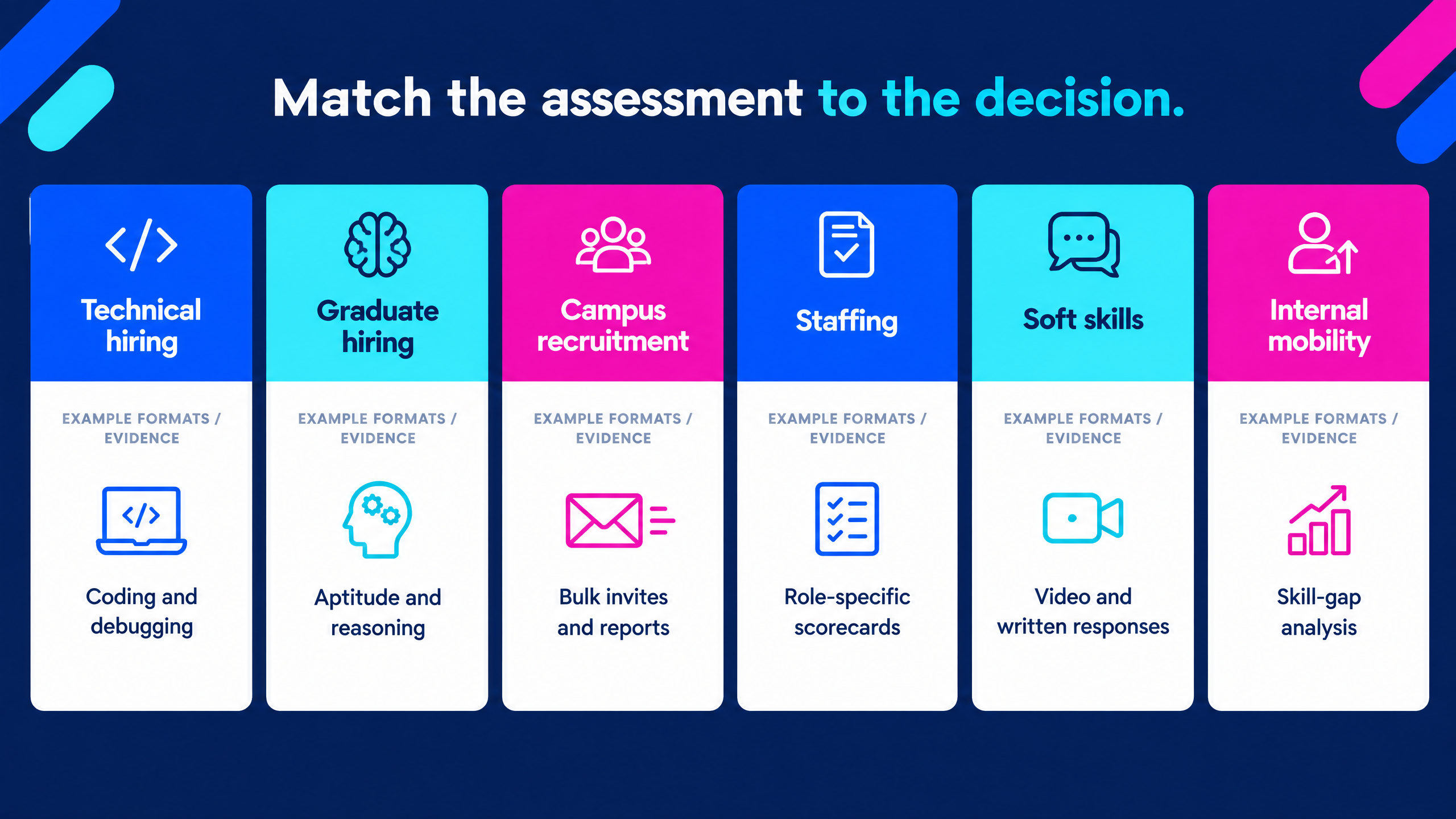
Assessment use cases by hiring need
Technical hiring
Graduate and fresher hiring
Campus recruitment
Staffing and recruitment
Internal mobility and learning
How to run a practical vendor evaluation
- Create the assessment from a role or job description.
- Select or generate relevant questions.
- Configure duration, sections, scoring, and integrity controls.
- Invite a candidate cohort and send instructions.
- Monitor progress and handle an exception.
- Review responses and automated or manual scores.
- Generate a candidate report and shortlist.
- Export or pass results into the next hiring stage.
|
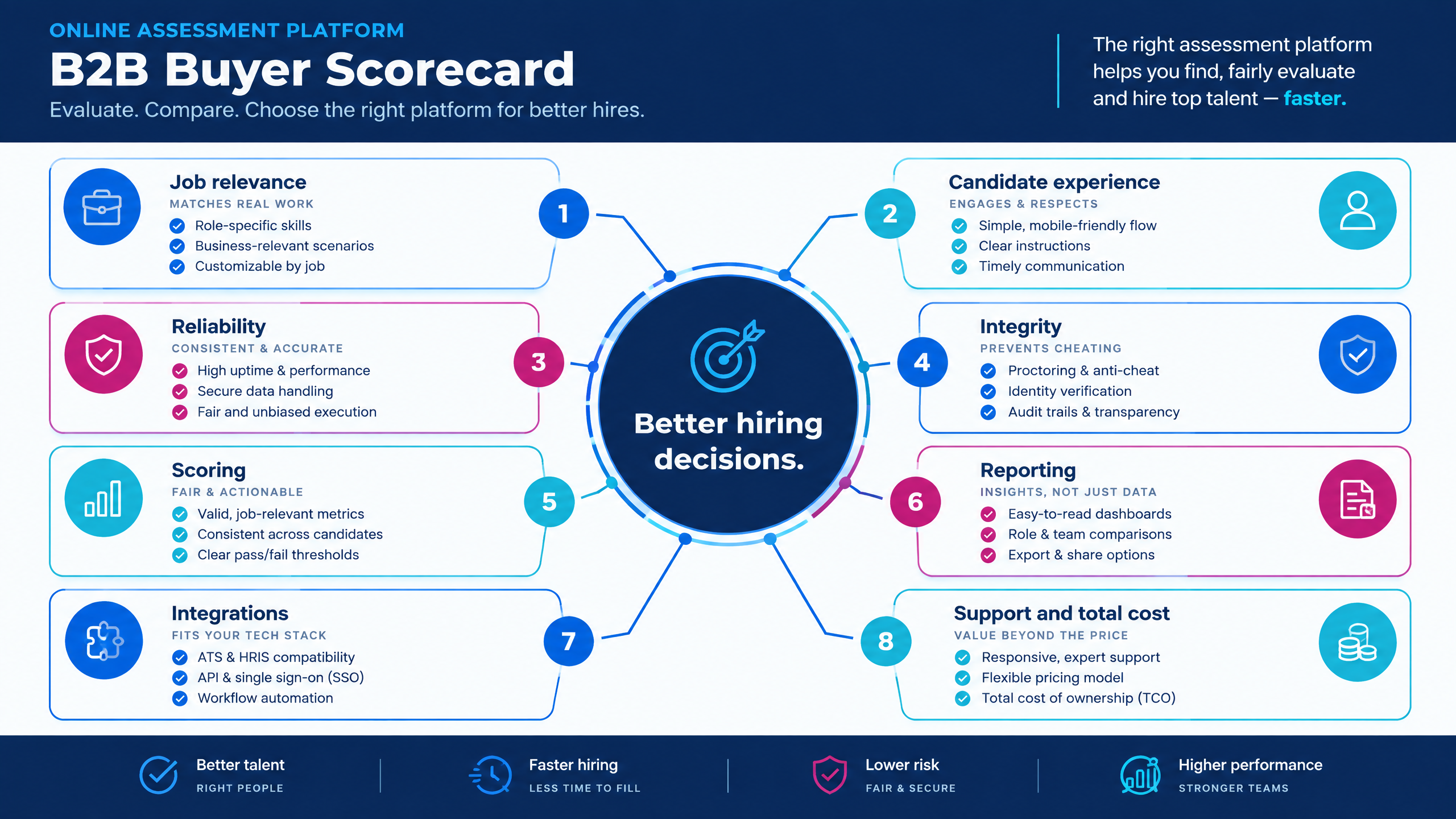
Evaluation category
|
Suggested question
|
Weight guidance
|
|
Job relevance
|
Does the assessment measure capabilities required for the role?
|
High
|
|
Candidate experience
|
Can candidates understand and complete the journey easily?
|
High
|
|
Reliability
|
Does the platform protect progress and handle exceptions?
|
High
|
|
Integrity
|
Are security controls proportional and explainable?
|
Medium to high
|
|
Evaluation
|
Can teams combine automated and human review?
|
High
|
|
Reporting
|
Do reports support an actual hiring decision?
|
High
|
|
Administration
|
Can the team run the process at expected volume?
|
Medium
|
|
Integration
|
Does data move into the wider recruiting workflow?
|
Medium
|
|
Support
|
Is candidate and recruiter support available when needed?
|
Medium
|
|
Commercial fit
|
Is the total cost clear at normal and peak volume?
|
Medium
|
How to protect candidate experience and completion
Security, integrity, and responsible oversight
How to measure assessment success
|
Metric
|
What it reveals
|
|
Invitation-to-start rate
|
Whether communication and access are working.
|
|
Start-to-completion rate
|
Whether the assessment experience is usable and proportionate.
|
|
Submission failure rate
|
Whether reliability or device issues are affecting candidates.
|
|
Assessment-to-interview conversion
|
Whether the assessment identifies relevant candidates.
|
|
Time to shortlist
|
Whether results support faster decisions.
|
|
Reviewer agreement
|
Whether the rubric and reports support consistent evaluation.
|
|
Candidate support volume
|
Where instructions or workflow design need improvement.
|
|
Integrity-flag review rate
|
Whether controls are generating actionable signals.
|
|
Offer and joining conversion
|
Whether assessment decisions connect to hiring outcomes.
|
|
Cost per evaluated candidate
|
Whether the commercial model works at scale.
|
Explore futuremug’s assessment capabilities
- Review futuremug’s free online assessment platform for self-serve assessments, question banks, coding, AI evaluation, proctoring, reports, candidate tracking, and role-based access.
- Explore assessment outsourcing services for managed assessment operations, scheduling, reporting, proctoring, and use-case support.
- Review the assessment report example to understand the type of candidate evidence reports can provide.
- Explore futuremug’s AI interview platform if your hiring workflow combines skills validation with automated or structured interviews.
- Connect assessment workflows with futuremug’s campus placement and hiring automation platform for early-talent and college recruitment.
- Request an assessment platform demo using one real role, candidate cohort, assessment design, reporting requirement, and hiring decision.



Frequently Asked Questions
It is software that helps employers create, deliver, monitor, score, and report candidate assessments. It may support aptitude, coding, domain, descriptive, video, psychometric, behavioral, and AI-assisted evaluation formats.
It can provide more consistent, job-relevant evidence, reduce manual scoring, improve reporting, and help hiring teams compare candidates using defined criteria. Better decisions still depend on good assessment design, human review, and a clear connection to the role.
Start with job relevance, candidate experience, reliability, assessment formats, integrity controls, scoring transparency, reports, permissions, integrations, support, implementation, and total cost. Feature count alone is not a useful buying framework.
Many platforms support coding environments, multiple languages, automated test cases, MCQs, debugging, frameworks, descriptive questions, and technical reports. Confirm the actual language support, evaluation method, and report detail during a live demo.
Yes. Campus and graduate workflows commonly use bulk invitations, eligibility filters, aptitude tests, coding assessments, proctoring, mobile access, reports, and integrations with college or placement workflows. Test the student, TPO, recruiter, and administrator journeys before purchase.
Neither model is universally better. Self-serve software suits teams with internal capacity. Outsourcing helps when the organization needs delivery, scheduling, monitoring, evaluation, or candidate support. A hybrid model can combine internal control with external peak-volume support.
Ask what the AI evaluates, what evidence is shown, how low-confidence outputs are flagged, whether humans can review or override results, how data is handled, and how the organization monitors consistency across candidate groups and roles.
It can help with clear invitations, short registration, mobile-friendly delivery, practice or preview questions, save-state, reliable submission, transparent status, support, accessible design, and role-relevant assessment length and content.
Ask the vendor to create a role-relevant assessment, invite candidates, show the candidate experience, configure security controls, handle an exception, review results, generate a report, shortlist candidates, and explain integrations, permissions, support, implementation, and pricing.