
Recruitment Automation: What It Is, 15 Workflows to Automate & Tools (2026)
What Is Recruitment Automation?
Recruitment automation, also called recruitment process automation, means using software to run the repeatable steps of hiring. You set the rules once, such as “invite everyone who passes the test to an AI interview”, and the system applies them to every candidate.
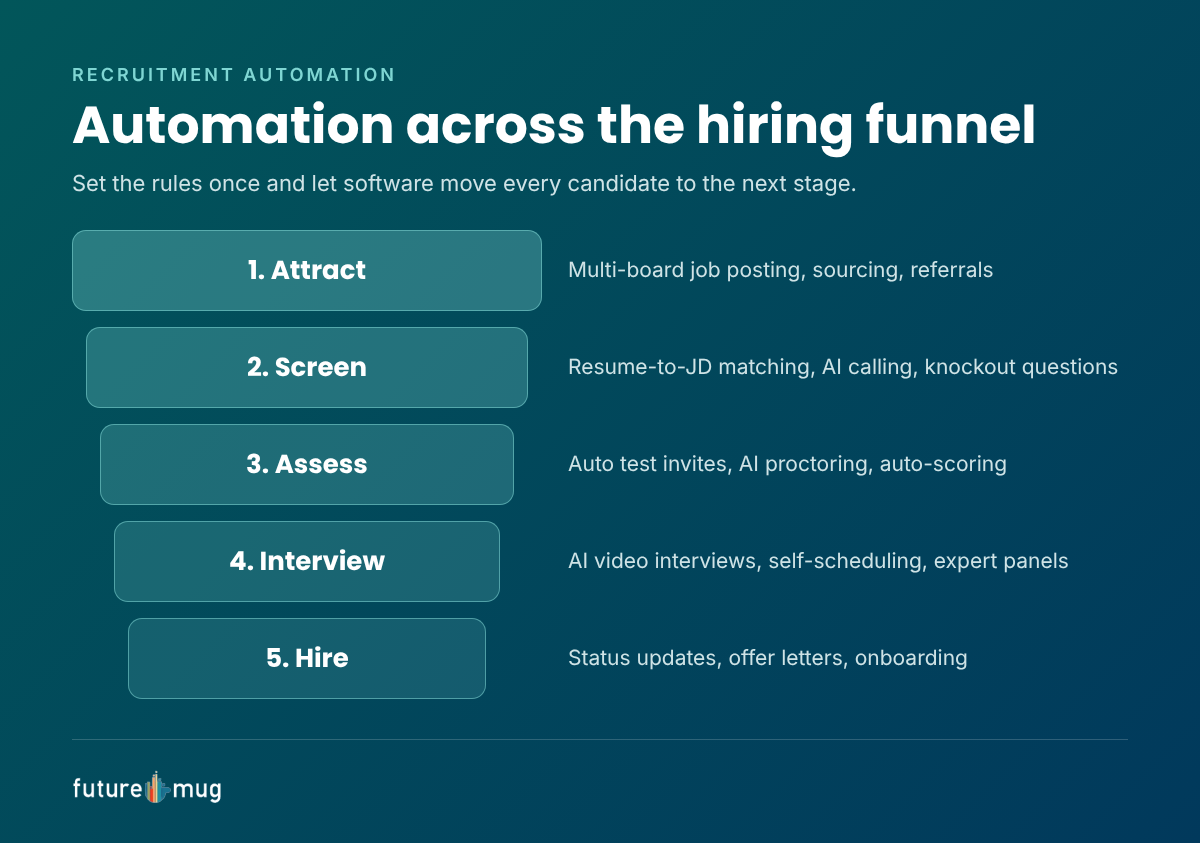
It covers the whole hiring funnel:
- Attract: publish jobs to many job boards and career pages at once.
- Screen: filter applications, match resumes to the job description and run screening calls.
- Assess: send skills tests and score them automatically.
- Interview: run first-round AI interviews and schedule human rounds.
- Hire: generate offers, collect documents and start onboarding.
Recruitment automation vs AI recruiting
The two terms overlap but are not the same.
| Recruitment automation | AI recruiting | |
|---|---|---|
| How it works | Follows rules you set | Learns patterns and makes judgments |
| Example | Send a test link when a candidate applies | Score a candidate’s video interview answers |
| Best for | Repetitive, predictable steps | Screening and evaluation at scale |
| Human role | Set the rules | Review and make the final decision |
Most modern platforms combine both: automation moves candidates through the workflow, and AI helps evaluate them along the way.
Benefits of Recruitment Process Automation
| Benefit | What the research shows |
|---|---|
| Recruiters get time back | Recruiters using generative AI save about 20% of their work week (LinkedIn, 2025) |
| Faster time to fill | Over 2 in 3 employers using automation or AI in HR say time to fill improved (SHRM, 2022) |
| Less manual review | 68% say the number of applications they review by hand improved (SHRM, 2022) |
| Time saved goes to quality work | 35% of recruiters spend saved time on candidate screening and 26% on skills assessments (LinkedIn, 2025) |
Beyond the numbers, automation brings three practical gains:
- Consistency: every candidate gets the same test, the same questions and the same scoring rules, which makes hiring fairer and easier to defend.
- Better candidate experience: instant replies, self-scheduling and faster decisions mean fewer candidates drop out. Read more on automation and candidate experience.
- Scale: a team that handled 100 applicants a week can handle thousands during a campus or mass hiring drive without adding headcount.
15 Recruitment Workflows to Automate
These 15 workflows cover the full hiring funnel. Start with the ones that take your team the most hours each week.
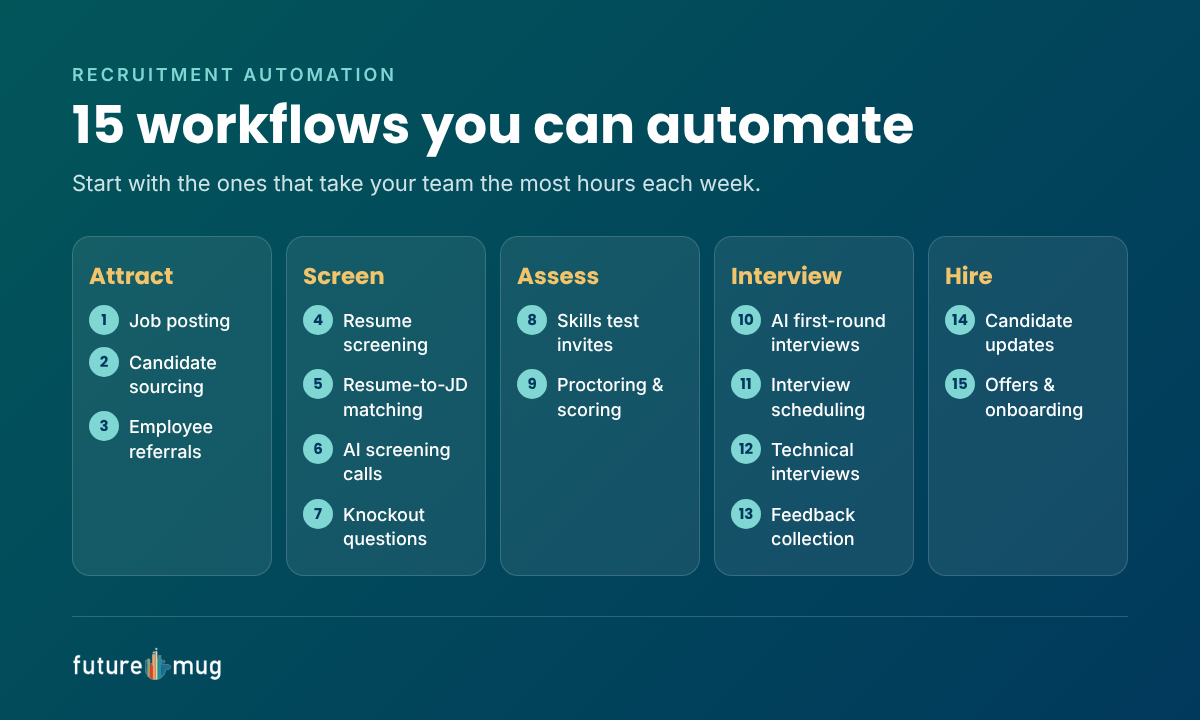
Attract
- Job posting: publish one job to multiple job boards and your career page in a single step.
- Candidate sourcing: search databases and past applicants automatically for matching profiles.
- Employee referrals: collect referrals through a form and route them to the right recruiter.
Screen
- Resume screening: filter applications on must-have criteria such as skills, location or notice period.
- Resume-to-JD matching: rank candidates by how closely their resume matches the job description.
- Screening calls: use AI calling to confirm interest, availability and expected salary at scale.
- Knockout questions: reject or flag candidates who don’t meet hard requirements, with a polite message.
Assess
- Skills test invites: send an online assessment automatically when a candidate clears screening.
- Proctoring and scoring: use AI proctoring and auto-scoring so results are ready without manual checks.
Interview
- AI first-round interviews: let candidates take an AI video interview at a time that suits them, with a scored report for the recruiter.
- Interview scheduling: let candidates pick slots that sync with interviewers’ calendars. See our interview scheduling tools guide.
- Technical interviews: route shortlisted candidates to expert interviewers when your engineers can’t take the load.
- Feedback collection: send scorecards to interviewers and chase them until they’re submitted.
Hire
- Candidate updates: send status emails or messages at every stage, including rejections.
- Offers and onboarding: generate offer letters, collect documents and trigger onboarding tasks.
Recruitment Automation Tools by Category
No single tool automates everything. Most teams combine a few categories.
| Category | What it automates | Workflows covered |
|---|---|---|
| Applicant tracking system (ATS) | Job posting, pipelines, status emails | 1, 3, 4, 7, 14 |
| Sourcing tools | Finding and contacting matching candidates | 2 |
| Resume matching | Ranking resumes against the job description | 5 |
| AI calling | Screening calls at scale | 6 |
| Online assessment platforms | Test invites, proctoring and scoring | 8, 9 |
| AI interview platforms | First-round video interviews and scoring | 10 |
| Scheduling tools | Calendar sync and self-scheduling | 11 |
| Interview outsourcing | Technical rounds by external experts | 12, 13 |
| Onboarding software | Offers, documents and onboarding tasks | 15 |
Where futuremug fits
futuremug automates the screening, assessment and interview stages, where most recruiter hours go, on one platform:
- Job Push publishes your job across platforms and matches incoming resumes to the job description.
- AI calling screens candidates at scale.
- Online assessments with AI proctoring test skills and score them automatically.
- AI video interviews and an agentic AI interviewer run first rounds.
- Interview outsourcing with 5,000+ expert interviewers across 250+ IT domains handles technical rounds.
Because each step hands off to the next automatically, a candidate can move from application to expert interview without a recruiter touching the file.
How to Implement Recruitment Automation in 6 Steps
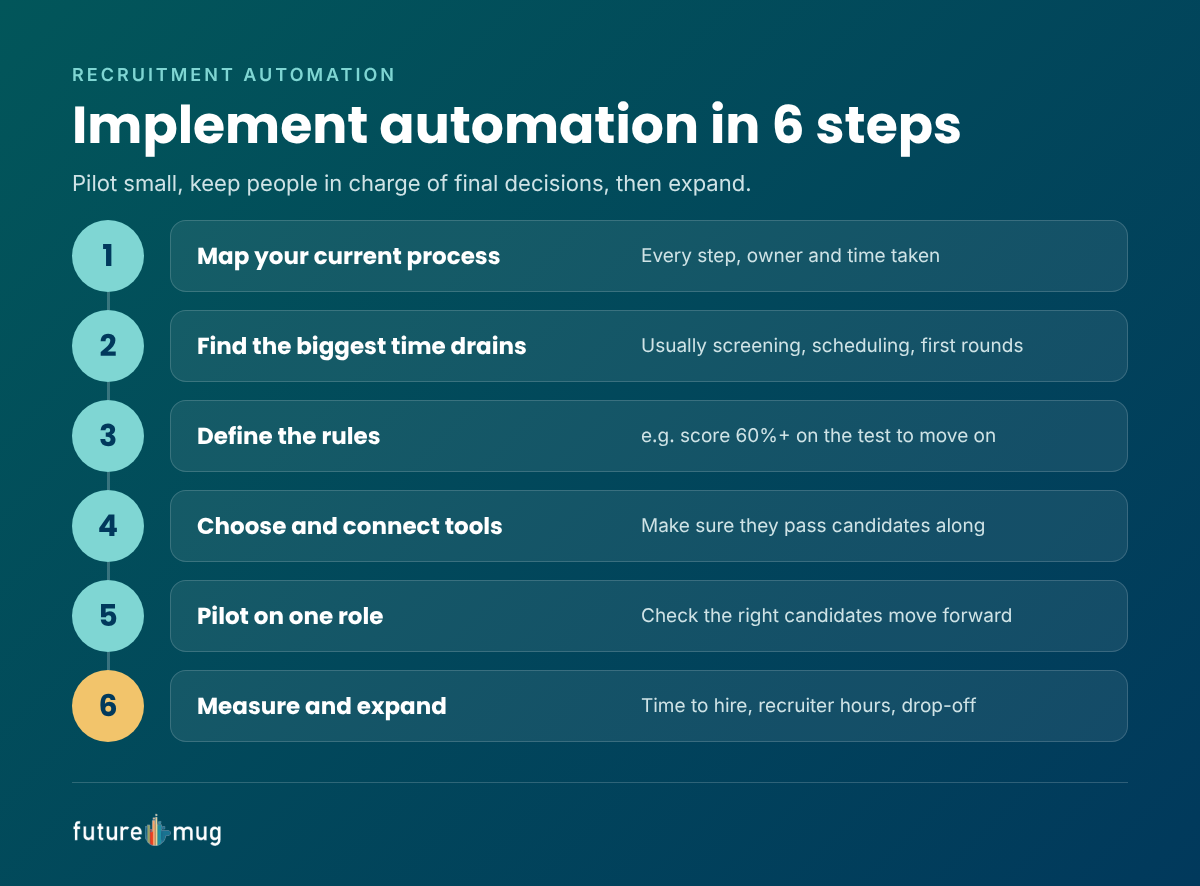
- Map your current process. Write down every step from job posting to joining, and note who does it and how long it takes.
- Find the biggest time drains. Pick the two or three steps that eat the most recruiter hours, usually screening, scheduling and first-round interviews.
- Define the rules. Decide exactly when candidates move forward, for example “score 60% or more on the test” or “answer yes to all knockout questions”.
- Choose and connect tools. Pick tools for those steps and make sure they pass candidates and data between each other.
- Pilot on one role. Run one open role end to end, check that the right candidates move forward and fix what breaks.
- Measure and expand. Track time to hire, recruiter hours and candidate drop-off, then automate the next workflow.
Mistakes to avoid
- Automating a broken process. Fix unclear steps first, or automation just makes the mess faster.
- Removing the human too early. Keep people reviewing AI scores and making final decisions.
- Ignoring candidate experience. Every automated message should be clear, polite and tell candidates what happens next.
- Not checking for bias. Review pass rates across candidate groups regularly, and adjust rules that screen people out unfairly.
- Forgetting data privacy. Tell candidates how their data and recordings are used, and follow India’s data protection rules.
Conclusion
Recruitment automation takes the repetitive work out of hiring, so recruiters can spend their time on candidates and decisions. Start with the steps that cost you the most hours, which are usually screening, assessments and first-round interviews. Set clear rules, pilot on one role, and keep people in charge of final decisions.
See futuremug in action to automate screening, assessments and interviews on one platform, with 5,000+ expert interviewers ready for your technical rounds.



Frequently Asked Questions
Recruitment automation is the use of software to handle repetitive hiring tasks such as job posting, screening, scheduling, assessments, interviews and offers, so recruiters can focus on candidates and decisions.
Recruitment process automation is another name for recruitment automation. It means setting rules once and letting software move every candidate through the hiring process.
Common examples are posting jobs to many boards at once, screening resumes against the job description, AI screening calls, automatic test invites, AI video interviews, self-scheduling and automatic status emails.
No. Automation handles repetitive tasks, while recruiters keep the work that needs judgment: building relationships, assessing fit and making final decisions.
The main benefits are time saved for recruiters, faster time to fill, less manual review, more consistent evaluation and a better candidate experience.
Recruitment automation follows rules you set, such as sending a test after an application. AI recruiting adds judgment, such as scoring interview answers or ranking resumes.