The Complete Guide to Recruitment Process Automation with the Right Hiring Workflow

What is recruitment process automation?

Recruitment process automation is the use of software, workflow rules, integrations, and AI-assisted tools to reduce repetitive work across hiring. Depending on the organization, this can include candidate intake, resume screening, interview scheduling, reminders, assessments, interview coordination, feedback collection, reporting, and next-step communication.
Automation is not the same as removing people from recruitment. The goal is to create a reliable operating layer around the decisions that require human judgment. Recruiters should spend less time copying information between systems, chasing calendars, sending repetitive updates, and consolidating notes. They should spend more time understanding requirements, engaging candidates, advising hiring managers, and improving the hiring experience.
A useful automation strategy begins with the workflow rather than a product category. Map how a candidate enters the funnel, how eligibility is checked, how interviews are arranged, how feedback is captured, how decisions are approved, and how outcomes are communicated. Then identify the delays, handoffs, duplicate tasks, and missing data that software can address.
For teams exploring an integrated interview workflow, the describes automated scheduling, candidate management, resume-to-job-description matching, video interviews, coding workflows, reports, transcripts, and summaries.
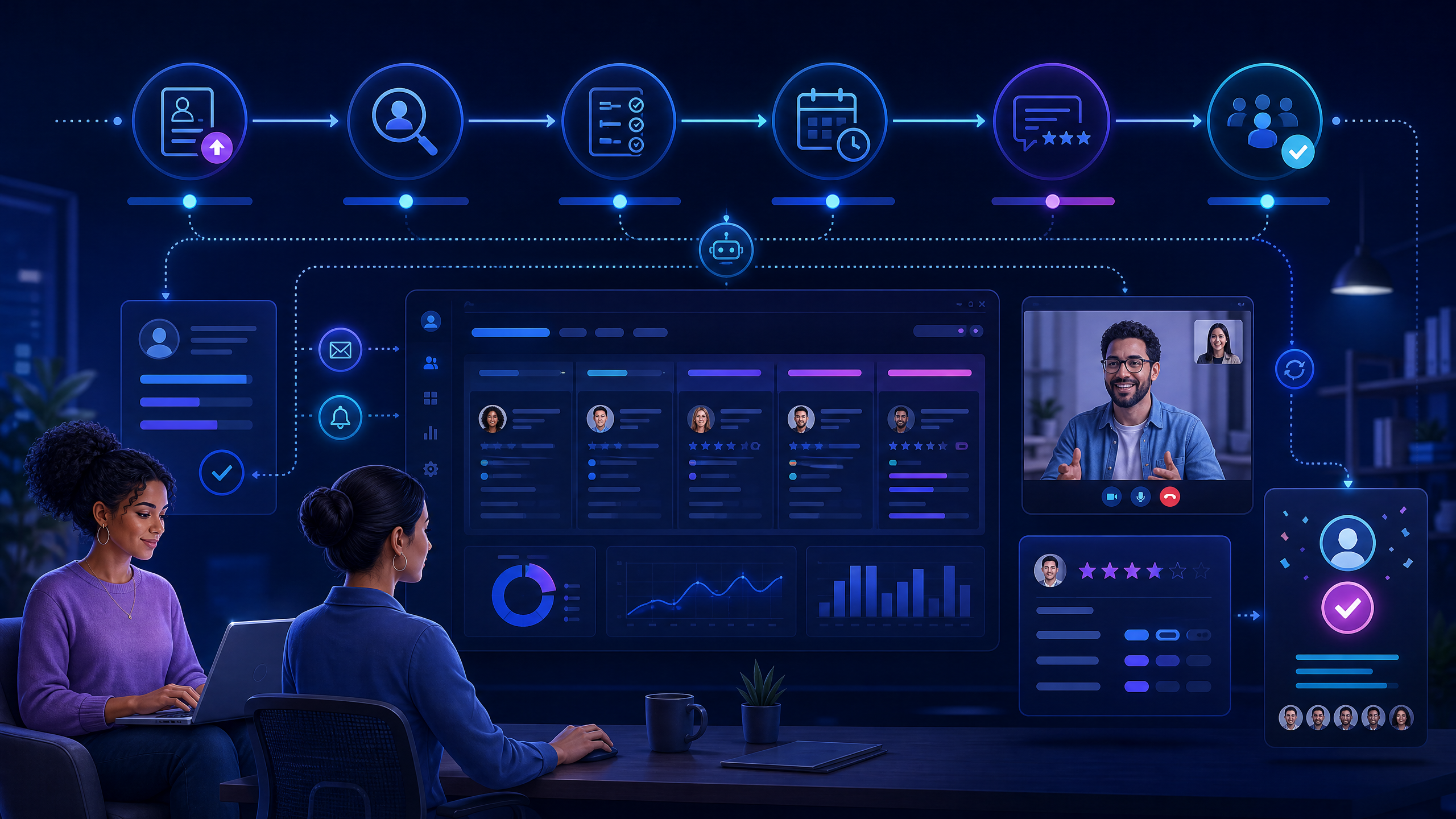
Recruitment process automation connecting sourcing, scheduling, interviews, decisions, and reporting

Why hiring workflows become operationally difficult

Recruitment operations often become difficult because every stage depends on information from another stage. A hiring manager changes the role requirements, a recruiter updates the shortlist, an interviewer needs a new time slot, a candidate misses an email, or an assessment report arrives in a separate file. None of these tasks is especially complex by itself, but together they create coordination overhead.
The problem becomes more visible when teams hire across multiple roles, locations, time zones, interview panels, or candidate segments. Recruiters may use an ATS for applications, spreadsheets for tracking, email and messaging tools for reminders, a separate assessment platform for skills validation, and calendars for interviews. The team can still deliver hiring outcomes, but the process becomes dependent on manual effort and individual memory.
Common symptoms include long scheduling cycles, repeated data entry, delayed interviewer feedback, unclear candidate status, inconsistent screening, missed reminders, incomplete reports, and difficulty explaining where a candidate is in the process. Automation should address these symptoms without hiding important decisions from the people accountable for them.

Where to automate first

The best starting point is usually a high-volume, rule-based, measurable task. Candidate reminders, interview scheduling, status updates, assessment invitations, and report consolidation are often good candidates because the expected outcome can be clearly defined.
Do not automate a process that is unclear, unfair, or constantly changing before fixing the underlying design. For example, an automated rejection workflow can increase speed while amplifying an unsuitable eligibility rule. A scheduling bot can create more confusion if interview ownership and availability are not defined.
Hiring activity
Automation opportunity
Human responsibility
Candidate intake
Forms, imports, duplicate checks, and profile creation.
Confirm required information and consent.
Resume screening
Job-description matching, filters, and prioritization.
Review criteria, exceptions, and borderline profiles.
Assessment
Invitations, reminders, scoring, proctoring, and reports.
Set job-relevant tests and review outcomes.
Scheduling
Availability matching, calendar links, reminders, and rescheduling.
Resolve exceptions and candidate needs.
Interviews
Question libraries, structured rubrics, recordings, and transcripts.
Evaluate evidence and make accountable decisions.
Feedback
Automated prompts, scorecard completion, and consolidation.
Interpret feedback and resolve disagreements.
Communication
Status notifications, next steps, and rejection messages.
Approve messaging and handle sensitive conversations.
Reporting
Funnel dashboards, time-to-stage, and quality summaries.
Decide which improvements to make.

The right hiring workflow

A strong workflow connects stages without making every candidate experience feel mechanical. Candidates should understand what happens next, recruiters should see current status, interviewers should receive the information they need, and hiring managers should be able to make decisions from consistent evidence.
A practical workflow includes the following sequence:
1.Define the role. Confirm competencies, eligibility, interview stages, evaluation rubrics, owners, and service-level expectations.
2.Capture candidates. Import or collect candidate information once, then maintain a reliable profile throughout the process.
3.Screen consistently. Apply approved filters and use role-relevant assessments or interviews to gather evidence.
4.Schedule intelligently. Match candidate and interviewer availability, send reminders, and support rescheduling.
5.Evaluate structurally. Use standardized questions, scorecards, reports, and evidence rather than informal notes alone.
6.Route the next step. Advance, hold, review, or close candidates according to approved rules and human checks.
7.Measure the funnel. Track time, drop-off, feedback completion, candidate experience, and downstream quality.
Recruitment process automation with connected candidate, recruiter, interviewer, and hiring-manager workflows

10 capabilities to evaluate

1. Workflow configuration

The system should support different roles, locations, hiring volumes, interview stages, and approval paths. Avoid tools that force every job into one rigid process or require technical support for basic workflow changes.

2. Candidate and requisition data

Recruiters need a consistent view of the role, candidate, current stage, source, assessment results, interview status, feedback, and next action. Ask whether the system integrates with the ATS or can exchange data through APIs and exports.

3. Resume and job-description matching

Matching can help prioritize profiles against defined requirements. Buyers should understand which fields are considered, how gaps are shown, how human review works, and whether recruiters can adjust or override the recommendation.

4. Assessment automation

An integrated assessment workflow can create tests, invite candidates, send reminders, apply timers and rules, evaluate responses, and produce reports. Teams can explore the for question banks, coding, MCQ, descriptive formats, candidate uploads, reports, and configurable controls.

5. Interview scheduling

Scheduling is one of the most visible operational bottlenecks. Evaluate automated availability matching, bulk setup, calendar integrations, time-zone handling, reminders, rescheduling, candidate self-service, interviewer notifications, and escalation when no slot is available.
The describes 24/7 scheduling, automated notifications, video interviews, interviewer dashboards, secure candidate links, and real-time interview status. Confirm how these functions fit your current calendars and ATS during a demo.

6. Structured interviews and panels

The platform should support interview templates, question libraries, role-specific panels, technical or behavioral formats, scoring rubrics, recordings where appropriate, and feedback capture. Standardization should improve consistency without preventing interviewers from exploring relevant evidence.

7. AI-assisted screening and summaries

AI can help generate questions, summarize interviews, surface skill signals, and identify gaps. Treat these outputs as decision support. Recruiters and hiring managers should be able to inspect the underlying response, correct errors, and document a reason when they disagree with a recommendation.

8. Communication and reminders

Automation should keep candidates and interviewers informed through approved channels. Review message templates, personalization, consent, language, frequency controls, delivery status, and the process for handling replies that require a person.

9. Reporting and analytics

Look for funnel visibility, time-to-stage, scheduling turnaround, feedback completion, source performance, candidate drop-off, panel utilization, assessment results, and hiring outcomes. Reporting should help leaders improve the workflow rather than only describe activity.

10. Governance, security, and support

Evaluate access controls, audit trails, data retention, consent, security, integration permissions, model or rule monitoring, incident response, and support. For AI-enabled functions, review the as a useful external governance reference and ask the vendor how its controls map to your policy.

Automation versus human judgment

The right division of labor is not “software makes decisions and people approve them.” It is a set of clear responsibilities. Software can enforce a workflow, send a reminder, compare availability, calculate a score, produce a transcript, or highlight a missing step. People should define the job requirements, approve evaluation criteria, review exceptions, interpret evidence, and make consequential decisions.
A mature operating model includes override paths. If a candidate has an unusual background, needs an accommodation, challenges an outcome, or produces an ambiguous signal, the recruiter should be able to pause the automation and route the case for review. Every automated action should have a clear owner and an observable status.
This is especially important when automation affects candidate progression. Teams should monitor false positives, false negatives, candidate complaints, accessibility barriers, inconsistent messages, and outcomes across relevant groups. Speed is valuable only when it supports better hiring decisions and a credible candidate experience.

How futuremug supports automated hiring workflows

futuremug’s published solutions connect automation with assessments, interviews, scheduling, candidate management, and reporting. The describes resume-to-job-description matching, automated scheduling, video interviews, a real-time coding environment, interviewer dashboards, AI-generated questions, transcripts, summaries, and personalized reports.
The describes bulk candidate upload, job-description analysis, automated interviews, context-aware questions, instant reports, voice screening, red-flag detection, and post-interview triggers such as next-round scheduling or ATS updates. The page also states that the system is intended to support first-level screening while human interviews remain important for final rounds.
Organizations that need additional panel capacity can review , which describes expert panels, auto-scheduling, structured evaluations, communication updates, reports, and AI-powered insights. This is relevant when the process problem is not only software but also interviewer availability and coordination.
Recruitment process automation balancing AI-assisted workflows with human approval and accountable hiring decisions
Product pages describe intended capabilities. During a commercial discussion, use your own hiring workflow and ask the team to demonstrate role configuration, candidate intake, assessment, scheduling, interview, feedback, reporting, exception handling, integrations, and governance.

Implementation plan

Phase
Action
Output
1. Map the current process
Document systems, owners, handoffs, delays, candidate messages, and decision points.
Current-state workflow and pain-point list.
2. Prioritize automation
Select repetitive tasks with clear rules and measurable outcomes.
Automation backlog ranked by value and risk.
3. Design the target workflow
Define stages, owners, permissions, templates, triggers, exceptions, and human checkpoints.
Approved future-state workflow.
4. Configure and integrate
Set up forms, scheduling, assessments, reports, notifications, APIs, and access controls.
Test-ready workflow.
5. Pilot
Run a representative role or candidate group, including edge cases.
Evidence on speed, quality, experience, and risk.
6. Scale and improve
Train users, monitor metrics, review exceptions, and adjust rules.
Sustainable operating model.
Start with one workflow that is visible enough to create value and bounded enough to manage. Scheduling, assessment operations, or first-round interview coordination may be suitable pilot areas. Expand only after the team understands the operational and candidate impact.

Request a workflow discussion or demo

If recruiters are spending too much time coordinating calendars, chasing feedback, updating spreadsheets, sending repeated reminders, or assembling reports, your hiring workflow may be ready for automation. The right approach starts by understanding the current process and selecting the product and service components that solve the most important bottlenecks.
to discuss your roles, hiring volume, assessment needs, interview operations, scheduling challenges, integrations, reporting requirements, and governance expectations. Bring one current workflow so the conversation can focus on practical improvements rather than a generic feature tour.

Frequently Asked Questions

What is recruitment process automation used for?

It is used to reduce repetitive work across candidate intake, resume screening, assessments, interview scheduling, reminders, interviews, feedback, reporting, and next-step communication.

Does automation replace recruiters?

No. It should reduce administrative effort and improve visibility so recruiters can spend more time on candidate relationships, hiring-manager advice, exception handling, and process improvement.

Which recruitment tasks should be automated first?

Start with high-volume, rule-based, measurable tasks such as reminders, scheduling, assessment invitations, status updates, feedback prompts, and report consolidation. Fix unclear or unfair process rules before automating them.

How can automation improve candidate experience?

It can provide faster responses, clear status updates, easier scheduling, fewer repeated forms, timely reminders, and consistent next steps. Human support remains important when a candidate has a question, issue, accommodation need, or unusual situation.

Is AI required for recruitment process automation?

No. Many useful automations use rules, integrations, forms, calendars, and notifications. AI can add value for matching, question generation, summaries, or prioritization, but it should be used where the evidence and governance are strong enough.

How should teams govern AI-enabled hiring automation?

Define decision boundaries, collect appropriate consent, limit access, protect data, monitor outcomes, keep human review for consequential decisions, document overrides, and give candidates a route to request clarification or correction.

What should a product demo include?

Ask the vendor to demonstrate your real workflow from requisition or job description through candidate intake, screening, assessment, scheduling, interview, feedback, reporting, exception handling, integration, and next-step communication.

How do we measure automation success?

Track time-to-stage, scheduling turnaround, recruiter hours, feedback completion, candidate completion and drop-off, support volume, hiring-manager satisfaction, candidate experience, quality at later stages, and the number of manual interventions.

Leave a Reply

Your email address will not be published.